

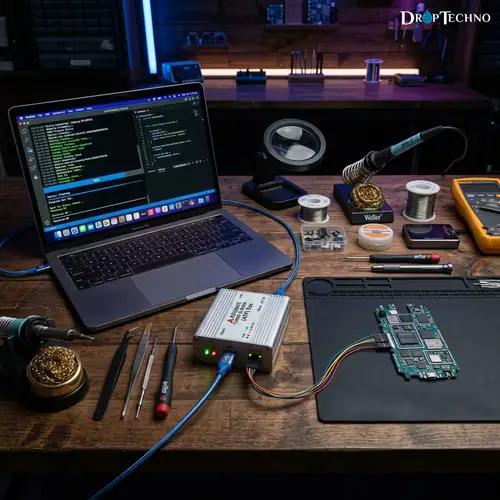
Mobile device servicing often requires specialized hardware flasher boxes to repair damaged firmware, remove network locks, and restore unresponsive smartphones.
The **advance turbo flasher** (commonly known as the ATF Box) remains one of the most famous hardware tools ever developed for servicing mobile handsets, particularly legacy Nokia devices.
Mobile technicians and hardware engineers rely on this dedicated flasher box to carry out deep system flashing, eMMC repairs, and high-speed firmware operations that standard software utilities cannot perform.
Whether you are a professional repair technician managing a busy workbench or a tech enthusiast exploring legacy device restoration, setting up an **advance turbo flasher** requires precise driver configurations and software installation steps.
Understanding the hardware box features, current market pricing, installation prerequisites, and driver troubleshooting methods is essential for achieving reliable servicing results.
In this comprehensive guide, we examine everything you need to know about this hardware tool, including its hardware capabilities, software driver setup, price in India, common connection issues, and whether it remains a practical tool for modern repair shops.
Table of Contents
What Is Advance Turbo Flasher?
The **advance turbo flasher** is a dedicated hardware tool designed for flashing firmware, servicing mobile hardware, and repairing system software corruptions on mobile devices.
Developed by the Advance Team, this specialized hardware box established new speed standards in the mobile repair industry.
Unlike purely software-based flashing applications, the device utilizes a high-speed hardware interface to communicate directly with mobile phone microprocessors and flash memory chips.
This hardware-level access allows technicians to bypass bricked operating systems and recover devices that refuse to boot normally.
The primary goal of the device is to provide stable, low-level data transfer between a servicing computer and target mobile hardware.
Over the years, it earned a stellar reputation for fixing hard-bricked handsets, rewriting security certificates, and repairing corrupt bootloaders.
Historically, mobile technicians faced significant challenges when flashing feature phones using standard USB data cables.
Firmware transfers frequently timed out or failed mid-cycle, leaving devices in an unrecoverable state.
The introduction of hardware flasher technology revolutionized the field by ensuring uninterrupted bus communication.
By establishing direct hardware links, the flasher tool allows technicians to perform low-level chip diagnostics.
It reads internal partition layouts, identifies corrupted memory blocks, and writes clean factory firmware directly into target storage modules without relying on an active mobile operating system.
What Is Advance Turbo Flasher ATF Box?
The ATF Box refers specifically to the physical hardware enclosure that connects between your computer’s USB port and the mobile target device.
The hardware unit contains specialized microcontrollers, smart card security slots, and multi-pin bus interfaces designed for high-throughput data flashing.
Inside the ATF Box hardware, an integrated smart card validates user licenses and unlocks advanced service functions within the control software suite.
This hardware protection ensures secure firmware flashing and protects proprietary algorithms developed by the Advance Team.
The ATF Box supports multiple connection protocols, including F-BUS, USB, and direct eMMC ISP pinouts.
By leveraging physical pin connections on a motherboard, the hardware box enables direct memory read and write operations even when the main processor is completely unresponsive.
The physical construction of the ATF Box features a durable metal casing designed to withstand heavy daily use in busy repair shops.
Standard connection ports include a USB Type-B computer interface, an RJ45 service bus socket, and external power input terminals for high-current flashing tasks.
The internal architecture of the ATF Box incorporates field-programmable gate arrays (FPGAs) to manage timing signals dynamically.
This FPGA integration enables precise clock synchronization across different mobile processor families, ensuring reliable data transfer even on damaged system boards.
Advance Turbo Flasher Features and Uses
The **advance turbo flasher** offers a rich set of service features built for deep hardware maintenance and firmware recovery.
Technicians depend on its high-speed flashing bus to complete full firmware cycles in a fraction of the time required by standard cables.
Key features and uses of this servicing box include:
- High-Speed F-BUS Flashing: Transfers firmware data at maximum hardware bus speeds, reducing flashing time significantly across supported mobile series.
- eMMC and JTAG Servicing: Reads, writes, and repairs eMMC chip partitions, user data, and boot sectors via direct ISP soldering points.
- Maverick Special Engine: Provides advanced decryption for security codes, network locks, and user locks on supported chipsets.
- SIM Lock & Security Repair: Restores damaged RPL certificates, IMEI data structures, and security fields lost during improper flashing.
- Stand-Alone Flashing Capabilities: Performs automated batch flashing and hardware diagnostics without requiring constant internet connectivity.
Beyond basic firmware updates, the device is frequently utilized for forensic data extraction and chip-off recovery.
When a mobile device suffers physical water damage or a cracked display, technicians solder thin jumper wires from the box directly to motherboard test points to extract vital user data.
For technicians interested in exploring broader technology and software diagnostic guides, hardware flasher boxes provide invaluable insight into low-level mobile architecture and chip-level communications.
Advance Turbo Flasher Price
Understanding the global market price for an **advance turbo flasher** requires considering hardware availability, activation status, and included cable adapters.
Because the original ATF Box hardware was produced in several revisions—including ATF Lightning, ATF Nitro, and ATF Big Box—pricing varies based on hardware specifications.
On global secondary markets and specialized mobile repair supply platforms, a functional unit typically ranges from $45 to $120 USD depending on physical condition and bundled accessories:
- Basic Pre-Owned ATF Box (Hardware Only): $45 – $65 USD
- ATF Nitro / Lightning Edition with Cable Kit: $70 – $95 USD
- Complete ATF Box Package with eMMC Activations: $100 – $120 USD
Because official hardware production by the Advance Team ended several years ago, buyers must verify hardware condition, smart card validity, and included activation credentials before purchasing pre-owned hardware flasher boxes.
Hardware pricing is also influenced by the presence of original factory cables and specialized adapter boards.
Units bundled with complete F-BUS cable sets and BGA memory adapters command higher prices due to their immediate readiness for complex hardware repair work.
Advance Turbo Flasher Price in India
In the Indian mobile repair market, the ATF Box has historically been one of the most widely adopted servicing tools across electronics hubs in Delhi, Mumbai, Bengaluru, and Kolkata.
Demand for refurbished and pre-owned ATF units remains active among technicians servicing classic mobile phones and feature devices.
The price of this flasher box in India generally falls between ₹3,500 and ₹8,500 INR, depending on the specific model edition and accessory bundle:
- Used ATF Box (Standalone Hardware Unit): ₹3,500 – ₹4,500 INR
- ATF Nitro / Lightning Box with F-BUS Cable Set: ₹5,000 – ₹6,500 INR
- Full ATF Box Kit with eMMC Adapters & Activation: ₹7,000 – ₹8,500 INR
Technicians in India purchasing a flasher unit should always check physical connector ports, USB cable integrity, and smart card detection on local Windows testing machines before finalizing transactions.
Local electronics markets in cities like Delhi (Gaffar Market) and Mumbai (Lamington Road) frequently offer pre-owned ATF units with custom cable bundles.
Verifying smart card lifetime status is crucial when inspecting pre-owned units in physical repair markets.
Advance Turbo Flasher Setup Requirements
Before installing the servicing box on your workstation computer, you must ensure that your system meets the necessary hardware and operating system prerequisites.
Hardware flasher boxes require stable USB power delivery and low-latency serial port communications to operate reliably.
The essential setup requirements for the device include:
- Operating System: Windows 7, Windows 8.1, or Windows 10 (32-bit or 64-bit editions). Windows 7 32-bit provides optimal legacy driver compatibility.
- USB Ports: USB 2.0 direct motherboard ports. Avoid using unpowered external USB hubs, as voltage drops can disrupt flashing.
- System Administrator Privileges: Full administrative rights to install unsigned FTDI device drivers and security drivers.
- Software Package: ATF v12.60 or ATF v12.70 setup installer along with official FTDI USB driver packages.
- Cable Accessories: High-quality USB A-to-B cable, F-BUS service cables, or eMMC ISP adapter modules.
Meeting these hardware requirements ensures that your computer maintains an uninterrupted connection with the servicing box during critical firmware flashing procedures.
System stability is paramount when configuring a dedicated repair workstation.
Technicians should disable background antivirus scans and automatic Windows updates prior to initiating long firmware flashing procedures to prevent sudden connection dropouts.
How to Install Advance Turbo Flasher Box
Installing the physical box requires a structured approach to prevent driver conflicts and USB port misconfigurations.
Following the correct sequence ensures that your operating system detects the hardware box properly.
Follow these step-by-step instructions to connect your flasher box:
- Disconnect Internet Connection: Temporarily disable Wi-Fi or Ethernet to prevent Windows Update from installing generic USB drivers.
- Connect ATF Box to USB 2.0 Port: Plug your hardware into a rear USB port on your desktop computer or a direct USB port on your laptop.
- Observe Hardware LED Indicators: Ensure that the power and status LEDs on the ATF Box illuminate steadily, confirming proper 5V USB power supply.
- Open Windows Device Manager: Press
Win + Xand select Device Manager to inspect newly connected hardware devices under Other Devices or COM Ports. - Verify Smart Card Detection: Ensure the internal smart card reader registers without error icons in your system device list.
Once the physical connection is confirmed, test the USB power stability by leaving the box connected for a few minutes.
Consistent LED illumination indicates that the motherboard USB port provides adequate amperage for high-speed flashing operations.
Avoid connecting hardware flasher boxes through keyboard passthrough ports or unpowered desktop front-panel extensions.
Direct rear-motherboard connections eliminate unnecessary resistance and prevent packet loss during intense data writing cycles.
ATF Box Software and Driver Setup
Once the physical hardware box is connected, installing the software suite and FTDI drivers is necessary to activate full service functionality.
Proper driver configuration establishes virtual COM ports that the software uses to transmit flashing commands.
Follow these steps to complete the ATF Box software setup:
- Download Official ATF Setup Installer: Obtain the official ATF Setup v12.60 or v12.70 executable file from trusted mobile repair archives.
- Run Installer as Administrator: Right-click the installer executable and select ‘Run as administrator’ to allow full system file access.
- Select Target Installation Directory: Choose the default path (typically
C:\AdvanceBox) to prevent path length errors in the application. - Install FTDI USB Drivers: Navigate to
C:\AdvanceBox\Driversand runFTDI_Drivers_Setup.exeto register Virtual COM Port (VCP) drivers. For official system device driver guidelines and installation frameworks, consult authoritative technical archives. - Disable Driver Signature Enforcement: If installing on Windows 10 or Windows 11, disable driver signature enforcement to allow legacy FTDI drivers to execute smoothly.
- Launch Control Software: Open AdvanceBox.exe, click ‘Update Box Firmware’, and verify that your hardware box serial number displays correctly.
After launching the software suite for the first time, execute a full self-test procedure within the control panel.
The built-in diagnostic test verifies bus communication, RAM buffer integrity, and smart card authorization in seconds.
If the software prompts for a firmware update, keep the box connected and allow the flashing utility to update internal FPGA code automatically.
Completing this firmware sync ensures full compatibility with the latest service modules.
Common Advance Turbo Flasher Setup Problems
Setting up legacy hardware flasher tools can sometimes result in driver errors or hardware recognition issues.
Recognizing common setup problems allows technicians to resolve obstacles quickly without risking hardware damage.
Here are the most frequent setup issues and their practical solutions:
- Device Manager Yellow Exclamation (FTDI Driver Error): Occurs when Windows fails to assign unsigned FTDI drivers. Solution: Manually update driver in Device Manager, browse to
C:\AdvanceBox\Drivers, and select ‘Install this driver software anyway’. - Box Not Found / Smart Card Error: Caused by dirty smart card contacts or loose slot retention. Solution: Disconnect power, remove smart card gently, clean gold contacts with isopropyl alcohol, reinsert, and restart software.
- FPGA Boot Failed Error: Indicates insufficient USB power supply or corrupt box firmware. Solution: Connect to a powered USB 2.0 port and run Box Firmware Repair tool within AdvanceBox software.
- Software Crash on Windows 10: Occurs due to Windows DEP (Data Execution Prevention) restrictions. Solution: Set
AdvanceBox.execompatibility mode to ‘Windows 7’ and run as administrator.
Another frequent setup issue involves virtual COM port number collisions in Windows Device Manager.
When multiple USB serial devices are connected, Windows may assign high COM port numbers above COM20 that legacy software cannot access.
To resolve port assignment conflicts, open Device Manager, access FTDI Port Properties, and manually reassign the virtual COM port to an unused number between COM2 and COM8.
Is Advance Turbo Flasher Still Worth Using?
Determining whether the **advance turbo flasher** is still worth using depends on the specific device models your repair shop handles.
Modern smartphones powered by current Android and iOS versions utilize encrypted storage and secure bootloaders that require modern digital authorization tools.
However, for specific repair niches, the flasher box remains an indispensable tool:
- Legacy Nokia Servicing: Unmatched speed and reliability for flashing, unlocking, and repairing Symbian, Meego, and early Windows Phone Nokia devices.
- Direct eMMC Hardware Recovery: Excellent low-cost option for soldering eMMC ISP lines to dump partition data from legacy chips.
- Training and Technical Education: Serves as a perfect practical hardware tool for mobile engineering students learning chip-level communications and F-BUS protocols.
While modern multi-brand repair shops primarily rely on updated digital software dongles for current 5G smartphones, keeping an ATF Box on your workbench provides valuable backward compatibility for legacy device servicing.
Furthermore, retro technology restoration and classic device collecting have seen a resurgence in recent years.
Servicing classic feature phones for collectors, museums, and film prop departments creates steady demand for experienced technicians equipped with legacy hardware flasher boxes.
Advance Turbo Flasher FAQs
What is the main function of Advance Turbo Flasher?
The main function of the tool is to flash firmware, repair corrupt operating systems, unlock network locks, and restore security certificates on supported mobile devices using high-speed hardware protocols.
Can I install Advance Turbo Flasher on Windows 10?
Yes, you can install the software on Windows 10 by disabling driver signature enforcement, setting Windows 7 compatibility mode for AdvanceBox.exe, and manually installing FTDI USB drivers from the AdvanceBox driver directory.
How much does an ATF Box cost in India?
An ATF Box in India costs between ₹3,500 and ₹8,500 INR depending on whether you purchase a standalone used unit, a Nitro edition, or a complete package with F-BUS cables and eMMC adapters.
Does Advance Turbo Flasher require internet connection to flash phones?
No, the device can flash supported mobile devices offline once the software suite, firmware files, and local drivers are fully installed on your computer.
Why is my ATF Box showing Smart Card Error?
An ATF Box shows a Smart Card Error when the internal card reader fails to detect the smart card due to dust buildup, oxidation on gold contacts, or driver misconfiguration in Windows. The **advance turbo flasher** requires an active smart card connection to authenticate software operations.
Conclusion
The **advance turbo flasher** remains a classic benchmark in the history of mobile device repair hardware.
Its high-speed F-BUS flashing bus, robust eMMC servicing features, and dedicated hardware architecture helped thousands of mobile technicians recover damaged phones and build successful repair businesses.
While modern smartphone architectures require updated digital servicing platforms, the advance turbo flasher continues to offer tremendous value for legacy Nokia device recovery, eMMC ISP memory repairs, and hardware diagnostics training.
By following proper setup procedures, installing verified FTDI drivers, and maintaining your ATF Box hardware, you can maximize the lifetime and utility of this legendary flasher box.
Whether you are restoring vintage handsets or learning chip-level diagnostics, mastering the hardware setup equips you with practical hardware skills that remain relevant across the mobile repair industry.
